Create Tikita stories right in ChatGPT!
Just describe your story, and AI organizes the characters, episodes and opening into a draft of your story.
There’s now a Tikita plugin for ChatGPT. Connect it once, and you can create a Tikita story draft just by describing the story you want to ChatGPT. You can also check the comments on your stories and reply to them, just by asking.
Open ChatGPTGetting started
- 1
Install the tikita plugin
In ChatGPT’s left menu, open Plugins, search for tikita, and tap the + button to install it.
Plugins›Search tikita›+ InstallPluginstikitatikita
Create Tikita story drafts.
- 2
Connect your Tikita account
When the connection screen appears, log in with your Tikita account and tap Approve. That’s it. It may appear right when you install, or the first time you use the plugin.
Connect›Log in to Tikita›ApproveApprove MCP connection
Allow only the items below to use your Tikita account in the connected AI tool.
Email address
Basic profile
DenyApprove - 3
Ask in a new chat
After installing, open a new chat. Type @ in the message box, choose tikita, then just say what you want.
New chat›Type @›Choose tikita›Asktikita@tikitaMake a Tikita story for me.
Try saying this
Copy a prompt below and replace only the dotted parts with your own.
Creating something new
Bringing a story over
Move settings you wrote elsewhere
Turn the settings below into a Tikita story draft. Split them into characters, episodes and the opening, and keep the story introduction and private settings separate. Paste your existing settings here
Starting a new draft
Create a story draft on Tikita. - Genre: Modern romance - Mood: Calm and heart-fluttering - Love interest: A blunt neighborhood café owner, a man in his late 20s - User’s role: A regular customer - Core setting: Whatever story you want to tell
When you have no idea yet
Just answer what AI asks
Make a Tikita story for me.
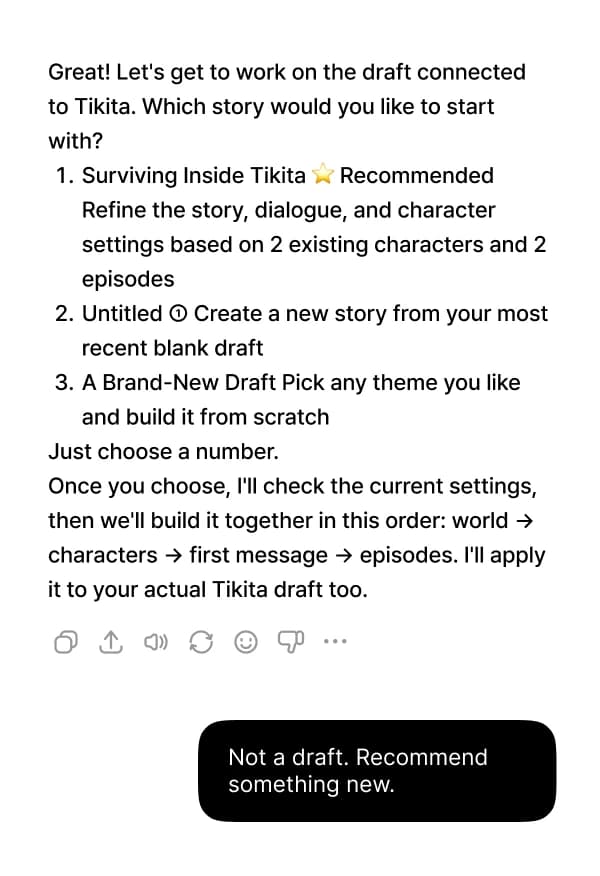
- 1When your draft list appears, pick a number to continue one, or say “Not a draft. Recommend something new.” to start fresh.
- 2Name a genre, or just say “Recommend something.” and AI suggests 3 story concepts.
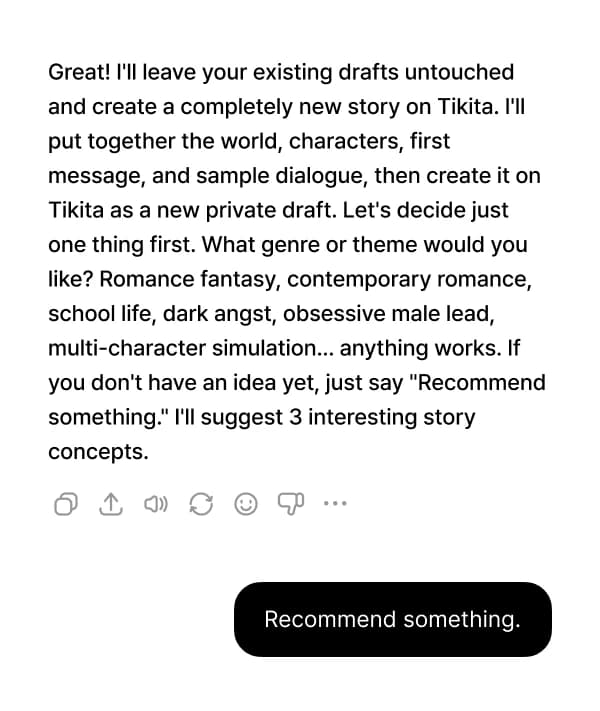
AI may ask you about gender, relationship or content level. This keeps it from deciding things you didn’t specify. Include the genre, the love interest’s gender, the relationship and the content level from the start, and it will ask less.
Improving an existing story
Polishing your story
Just say the story title
Take a look at my story Story title. Pick just the 3 weakest parts, fix them, and tell me what you changed.
Adding episodes and openings
Continue Story title with 3 more episodes, and add one more opening too.
Turning world settings into a Lorebook
Split the world settings below into Lorebook entries and add them to Story title. Paste your settings here
Managing comments
Checking new comments
See comments on your stories and posts
Show me the latest comments on my stories, and number only the ones that need a reply.
Replying
Follow up on ⑦ using the number
Reply to comment 2 with Thank you so much for enjoying it!
Good to know
Drafts arrive as private
Stories made in ChatGPT aren’t made public right away. Review, save and make them public in Tikita’s Create.
Save in Create to apply your edits
Changes made through ChatGPT only go into the draft. Save in Create to apply them to your actual story.
Don’t edit the same story at the same time
If you also edit the same story on the Create page while ChatGPT is working on it, the changes may overwrite each other.
When bringing a story over, text comes first
If there are images, AI first tells you how many there are, and moves them only after you’ve checked the text.
Replies are posted from your account, one at a time
Replies are posted right away under your account name. You can’t reply to several comments at once, or delete or hide comments.
Contact
If you can’t connect or have any questions, feel free to let us know.